
Instead of rereading NFL playoff predictions before every 2026 survivor pool deadline, put each matchup call into a pick sheet, remove teams your pool rules make ineligible, and submit one eligible team before lock. SportsOrca playoff analysis is best for fans who want matchup context before making their own survivor pick—not a substitute for their pool’s rules.
- Use SportsOrca NFL playoff predictions to build a shortlist, then check every team against your 2026 survivor pool rules.
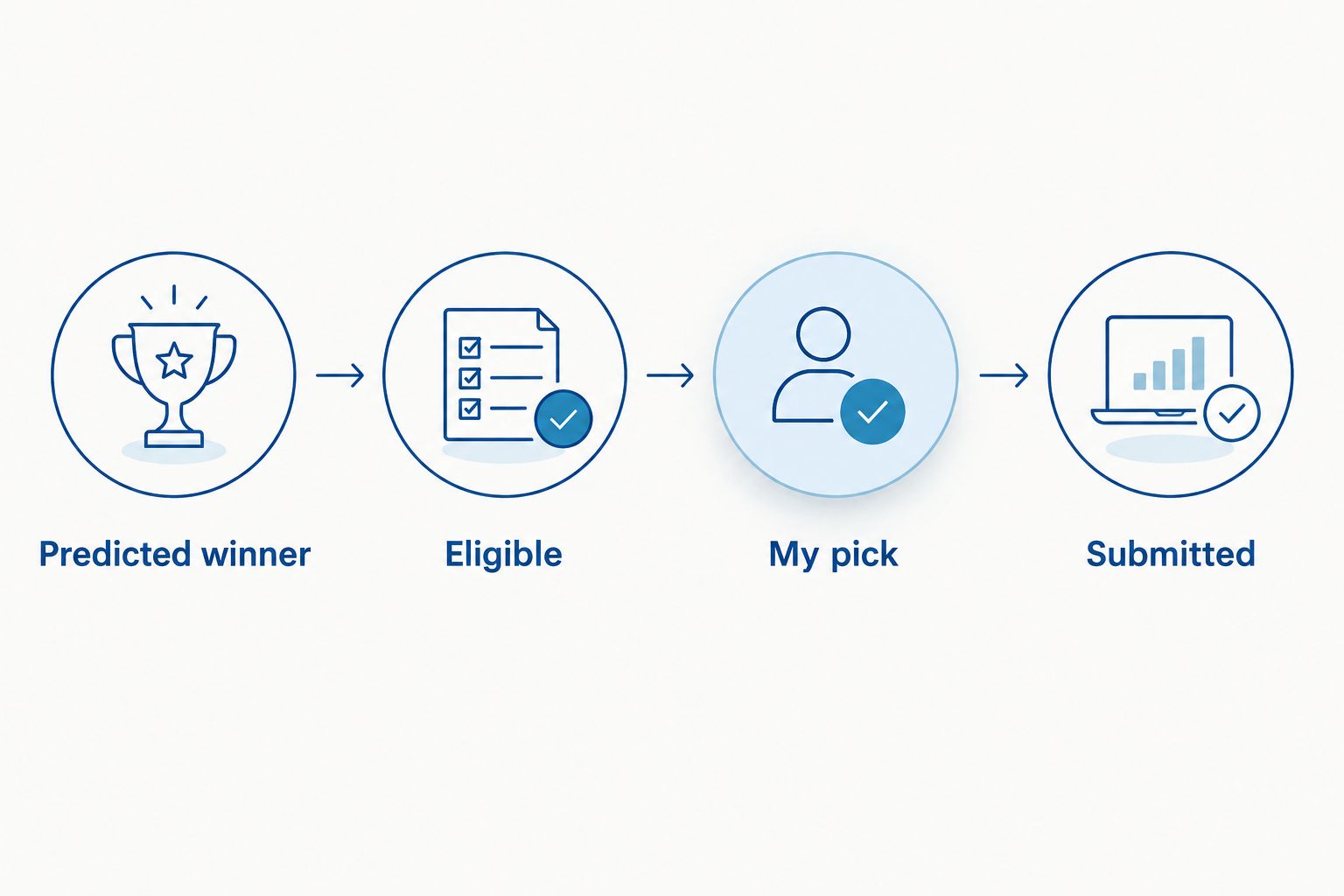
- A predicted winner is not a survivor pick until the team is eligible and its game is open for selection.
- Record your selection before lock; a spreadsheet does not submit a pick to the pool.
- Check whether team-use restrictions reset for the playoffs before crossing any team off your list.
Why this matters
A playoff prediction answers one question: who wins this matchup? A survivor pool asks another: which team can you use under your pool’s rules, with your entry still alive after the game? The gap between those questions is where a strong matchup read turns into an invalid pick.
Start with NFL playoff game predictions for every matchup, then make eligibility a separate decision. SportsOrca NFL playoff predictions supply the matchup view; your pool’s written rules decide whether that view can become your entry. In 2026, do not assume a postseason pool treats earlier team selections the same way your regular-season pool did.
Before you start
- Get the pool rules and access to your entry. Confirm whether the 2026 playoffs begin a new contest, whether prior team selections carry over, how many picks each round requires, what happens after a tie, and when picks lock. Use the rules displayed by your pool, not a rule recalled from another contest.
- Open a spreadsheet you control. Google Sheets works for the steps below. Keep the pool page available in another tab so you can verify the available teams and record the actual submission.
- Check the non-obvious restriction before building a shortlist. Some formats reset team-use history for the postseason; others do not. If you filter out previously used teams before checking that rule, you can discard a legal pick. If you ignore a carryover rule, you can prepare a pick your pool will reject.
The spreadsheet is a decision record, not a live feed or a pool connection. You enter predictions, eligibility and results yourself. That separation matters most near lock, when a changed matchup, a revised pick or an unsubmitted entry can undo the work in your sheet.
Build your pool-rule sheet
- Open Google Sheets and create a blank spreadsheet. In the first row, enter these column names: Round, Matchup, Predicted winner, My pick, Used before, Eligible, Lock time, Submitted, Result, and Notes. These are labels you create, not fields supplied by a pool platform.
- Select the first row. Choose Data > Create a filter so you can show only the games or eligible teams you need when the bracket changes.
- In a separate area of the sheet, write the pool’s exact team-use rule and lock rule in plain language. Note whether those rules apply to your entire entry or reset for a new postseason contest. Do not replace the pool’s wording with a guess about what survivor usually means.
- Add a row for each game you intend to evaluate. Enter the round and matchup as shown by the current bracket. Leave My pick blank until you compare the prediction, team eligibility and your remaining path through the pool.
Expected result: You have one place to see the predicted winner, the eligibility check and the status of your entry without confusing them. The Submitted column stays blank until the pick appears in your pool.
The 2026 NFL postseason bracket narrows as games are played, but a pool can group picks by game, weekend or round. Keep your Round labels aligned with the pool’s entry screen. If the pool calls for more than one selection, create a row for each required selection rather than trying to fit several teams into My pick.
Turn predictions into eligible picks
- Read the matchup case in SportsOrca playoff analysis. Enter the predicted winner in Predicted winner and put the reason you consider decisive in Notes. Keep the reason specific to the game, such as the offensive line against the opposing pass rush, rather than writing only that a team looks stronger.
- Check the pool’s team-use history. Enter whether you have used the predicted winner in Used before, then mark Eligible according to the written rule. A team you used earlier is not automatically unavailable if the pool starts a new postseason contest.
- Check whether the matchup and pick window shown by the pool still match your sheet. Enter the pool’s displayed deadline under Lock time. Do not use kickoff as a replacement for a pool deadline unless the rules explicitly say they are the same.
- Write one eligible team in My pick. If the predicted winner fails the eligibility check, compare the other open matchups rather than entering an invalid favorite. For a separate look at late market movement, read how to read NFL odds movement before kickoff; movement is context, not a replacement for the pool rule or the matchup case.
Expected result: Every proposed pick has a recorded matchup, a rule-based eligibility decision and a deadline. A blank My pick means you have not made the decision yet; it does not mean the predicted winner has been selected for you.
A predicted winner can be the wrong survivor choice even when the prediction is sound. The team can be ineligible, the pool can require a different number of picks, or you can decide to preserve an eligible team for a later round. That final trade-off is yours: SportsOrca supplies game analysis, while the pool controls what you can submit.
Submit the pick and close the loop
- Open your pool entry and compare the available matchups with Matchup, My pick and Lock time in the sheet. If anything differs, use the pool’s current display to correct the sheet before selecting a team.
- Select the team on the pool’s entry screen and complete whatever confirmation that pool requires. Interface labels vary by organizer, so follow the button and confirmation shown on your pool page; this workflow does not assume a universal Submit button.
- Return to your entry view and confirm that the team appears as your recorded pick. Only then enter Yes in Submitted. A team written in My pick without a recorded pool entry is still an unsubmitted pick.
- After the game, enter the outcome in Result. Update Used before for future decisions according to the pool’s rules, including any rule about how canceled games, ties or postponed matchups are handled.
Expected result: Your pool entry and spreadsheet name the same team, and your next-round eligibility check reflects the selection you actually made. Keep the sheet after an elimination, too: it shows whether the decision failed on the matchup read, the rule check or the submission step.
If your pool resets team use for the playoffs
The second workflow changes the eligibility check, not the prediction. A 2026 postseason-only survivor contest can start with a fresh team-use list even if you played a regular-season contest with the same organizer. Confirm that reset in the pool rules before treating a previously selected team as available.
| Pool format | Team-use check | Advantage | Limitation |
|---|---|---|---|
| Postseason reset | Track teams selected in the new playoff contest | A regular-season selection does not remove a team from your playoff shortlist when the rules explicitly reset usage | You still need to track every selection made within the postseason contest |
| Carryover restriction | Check the pool’s applicable history before choosing | The eligibility filter reflects selections the organizer still counts | A strong matchup pick can be unavailable even when you have not used that team in the playoffs |
For a confirmed reset, make a new copy of the sheet with File > Make a copy and name it for your 2026 postseason entry. Clear the old Used before, My pick, Submitted and Result values, but keep the pool rule in view. Expected result: Your playoff sheet starts with the eligibility history that applies to that contest, not an accidental mix of two contests.
If the rules instead carry team use across contests, keep the applicable history. Do not infer a reset from an empty entry screen; the written rule and the organizer’s record control eligibility. When the wording is unclear, resolve it with the pool organizer before lock rather than treating the spreadsheet as proof that a team is legal.
Troubleshooting
- The predicted winner is absent from the pool’s choices. Recheck the current bracket, the round and the pool’s entry window. If the game is not offered, remove it from your active shortlist; do not submit a different matchup merely because it appears in the sheet.
- The pool rejects a team marked eligible. Compare the pool’s recorded team-use history with Used before and reread the rule on postseason resets. Correct the sheet to match the organizer’s rule, then choose an eligible team before lock.
- A pick appears in the sheet but not in your pool entry. Treat it as unsubmitted. Return to the entry screen, complete its confirmation and verify that the recorded selection appears before changing Submitted to Yes.
- The matchup changes after you wrote your note. Update Matchup, revisit the prediction and redo the eligibility check. Do not carry a pick forward on the strength of analysis written for a different opponent.
- You cannot tell when the pick locks. Read the deadline shown in the pool rules and entry screen, including its time zone. Leave Lock time blank rather than inserting a guessed kickoff deadline; resolve the deadline before relying on the sheet.
Each failure has a different fix. A bad matchup read calls for better analysis; a rejected team calls for a rule correction; an unsubmitted entry calls for confirmation on the pool page. Mixing those problems together makes the next pick harder, not easier.
Customize your workflow
A basic sheet gets a pick submitted. A useful 2026 sheet also tells you why you passed on the other eligible teams. Add Alternative and Reason passed columns when your shortlist contains several matchups. Keep those notes short enough to reread before lock: opponent, availability and one matchup concern.
If you track offensive line play, add it to Notes only when it changes your view of a specific game. Do not turn one stat into an automatic survivor rule. The question remains whether this team is an eligible pick against this opponent under your pool’s rules, not whether a single measure looks favorable.
For multiple entries, use a separate copy per entry. One Used before column cannot represent different team histories without inviting a mistake. Label each copy with its entry name, check its own deadline, and verify each recorded pick separately on the pool page. This adds work, but it prevents a team used on one entry from being crossed off another without a rule-based reason.
Keep predictions and selections in different columns even when they match. That distinction lets you review a missed pick honestly. If the predicted winner lost, revisit the matchup case. If the winner advanced but your entry failed, check eligibility and submission. SportsOrca’s game analysis addresses the first question; your pool record answers the others.
FAQ
How do I turn NFL playoff predictions into survivor pool picks?
List the predicted winners, check each team against your pool’s eligibility rules, then submit one eligible team before the pool’s deadline. Confirm the selection appears in your pool entry; a spreadsheet note alone is not a submitted pick.
Is the predicted NFL playoff winner always the best survivor pick?
No. A predicted winner can be unavailable under your pool’s team-use rule or a poor fit for how you plan to use eligible teams in later rounds. Check eligibility before deciding which matchup to select.
Do survivor pools reset team use for the 2026 NFL playoffs?
The answer depends on the pool’s written rules. Check whether your 2026 postseason contest starts a new team-use list or carries over selections from an earlier contest before removing any team from consideration.
Can Google Sheets submit my survivor pick automatically?
No, the manual workflow in this guide does not connect Google Sheets to your pool. Make the selection on the pool’s entry screen and mark it submitted in your sheet only after you verify the recorded pick.
What should I do if my predicted team is not eligible?
Remove that team from your active shortlist and compare the remaining open matchups. A strong prediction does not override the pool’s team-use restriction.
When should I lock in a 2026 playoff survivor pick?
Submit before the deadline displayed in your pool’s rules or entry screen. Do not assume that kickoff is the lock time, and check the displayed time zone before recording the deadline in your sheet.
What should I track after submitting a survivor pick?
Record the team shown in your pool entry, whether submission was confirmed, and the game result. Update the applicable team-use history before evaluating the next round.
One last thing
The most dangerous blank cell is not Predicted winner; it is Submitted. In a 2026 playoff pool, your read on the game does nothing for an entry the organizer never received. Make the final check on the pool page, then return to the sheet for the next matchup.